
Microsoft 365 Phishing: Spotting the Voicemail Trap
By Jerome Scheidegger · CEO and Owner
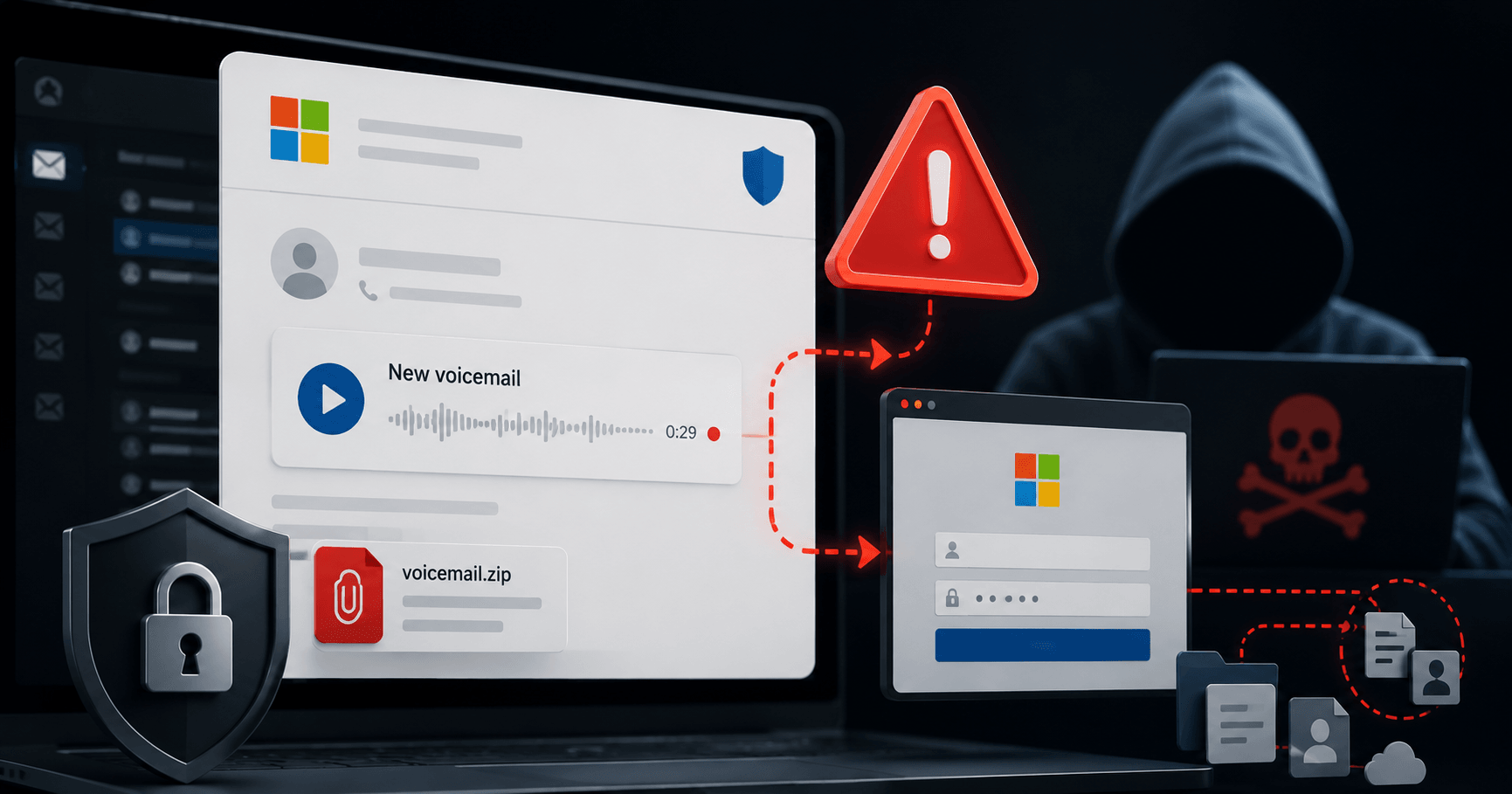
An email lands in the inbox. Microsoft 365 logo, a playback bar, a caller ID, the length of the message, and the note: "New voicemail." Anyone who clicks falls straight into a trap. On June 23, 2026, the National Cyber Security Centre (NCSC) issued a warning about a targeted phishing wave that exploits exactly this familiarity, and it's also landing in Swiss SME inboxes.
What's Behind the Fake Voicemail Emails?
The attackers send emails that closely mimic the design and content of genuine Microsoft 365 notifications – complete with logo, receipt date, spoofed caller IDs, and a supposed message length. Together, these details create a convincing picture of an incoming voice message.
The goal is to prompt fast, unreflective action. Anyone processing dozens of emails a day rarely checks senders and links closely, especially when the design and context look familiar. This scam relies on exactly that kind of autopilot behavior.
If you want to strengthen Microsoft 365 security at your SME from the ground up, BeSync can help with configuration, MFA, and access policies.
What Two Attack Variants Are the Attackers Using?
The NCSC has identified two clearly distinct approaches within this wave, each carrying different risks.
Variant 1 - Malware via ZIP attachment: The email contains an attachment disguised as a voicemail file, but it's actually a ZIP archive concealing an infostealer. This type of malware harvests login credentials, browser cookies, and sometimes wallet information. The stolen data can be sold on the darknet and used for follow-up attacks weeks or months later. The key giveaway: real voice messages arrive as audio files (.wav or .mp3) – never as a ZIP archive.
Variant 2 - Fake login page: A link or an attached HTML file leads to a page designed to look like Microsoft 365, complete with a convincing audio player. A blue "Play voicemail as a guest" button redirects to a fake login screen. Anyone who enters their email address and password there hands it straight to the attackers.
What Happens If an Account Is Compromised?
Entering login credentials doesn't just hand attackers access to the mailbox, it opens the door to OneDrive, SharePoint, and Teams as well.
Using the hijacked account, the attackers then send so-called chain phishing emails to all of the victim's contacts. These messages come from a known address and often reference real email threads, which significantly increases their success rate. At the same time, the attackers read along with business communications: ongoing projects, payment arrangements, internal hierarchies. They use this information for CEO fraud and business email compromise (BEC) attacks.
Attackers also frequently set up hidden forwarding rules in the mailbox. This allows them to keep receiving all incoming emails even after the password has been reset, a point many IT administrators overlook.
How Can Employees Spot These Emails?
The most reliable red flag is the file format: if the attachment turns out to be a ZIP archive instead of an audio file, it should never be opened.
Other warning signs employees should watch for:
- Treat unexpected voicemail notifications with caution as a rule, even if the design looks familiar.
- Check links before clicking: hovering over them reveals the actual destination address.
- When in doubt, contact the supposed sender through a different channel, e.g. by phone.
What Should IT Managers Do Now?
Three measures can be put in place right away: inform employees, enable multi-factor authentication (MFA), and check existing email forwarding rules for unfamiliar entries.
MFA doesn't stop login credentials from being stolen, but it does stop an attacker from getting into the account with those credentials alone. That makes it the single most important layer of protection. The NCSC also recommends resetting the password immediately in the event of concrete suspicion and notifying affected contacts. If personal data is lost and poses a high risk to third parties, this must also be reported to the Federal Data Protection and Information Commissioner (FDPIC) – a requirement that has been mandatory since the revised FADP came into force.
Conclusion
This phishing wave doesn't rely on poor language or obvious red flags, it relies on familiar interfaces and the natural reflex to listen to a voice message. The best countermeasure is an informed workforce. Acting now prevents not just a single incident, but the entire chain of follow-up attacks.